

Views: 84 Author: Site Editor Publish Time: 2019-11-20 Origin: Site


In the previous article, we introduced six methods for cooling the data center computer room. Today we will continue to introduce the remaining six methods.

If possible, try to redistribute and evenly distribute the heat load across each server rack to avoid or minimize "hot spots." Remember to check the temperature at the top, middle, and bottom of the server rack before moving the server, then just move those servers with higher temperatures (must be based again on the front temperature of the rack) and relocate them to colder area. Then use a blank plate to fill gaps. Check the temperature of all racks again to make sure that your operating environment has not created a new hot zone for the server's movement.
Check the rear of the rack to see if there are cables that block the exhaust airflow. This can cause excessive back pressure on the IT equipment fan and can cause the unit to overheat - even if there is enough cold air in front of the rack. This is especially for racks filled with 1U servers, which have a large number of long power cords and network cabling. Consider buying a shorter (1 to 2 feet) power cord and replacing the original longer OEM power cord that comes with most servers. The shortest network cable can also be used. Use cable management to organize the rear of the rack so that it will not block the airflow.
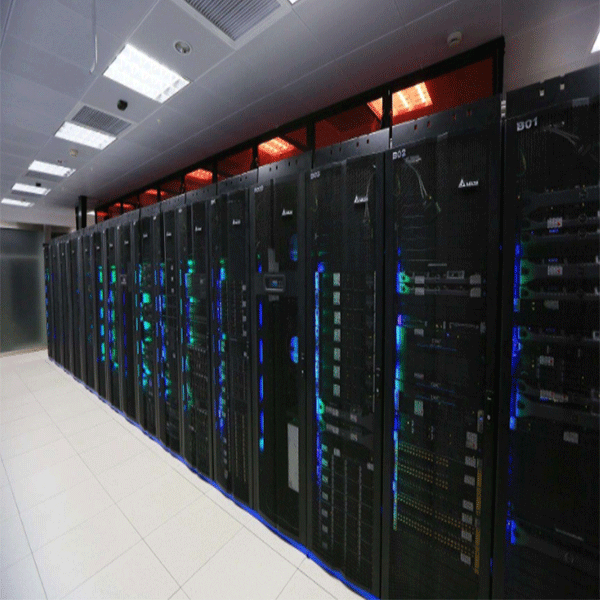
If your company's data processing operating environment has an overhead ceiling duct cooling system, it is important to ensure that the cold air outlet is directly at the front of the rack and that the return duct is above the hot aisle. We have observed that at some data center sites, the ceiling vents and return locations are so badly placed that the operating environment is hot, while the cooling system capacity has not been exceeded, it is simply because of all the cold air not reaching the machine directly. The front of the rack or the hot air is not properly extracted. The most important issue is: make sure that the hot air at the rear of the cabinet can return directly to the CRAC circuit without mixing it with cold air. If your data center operating environment has a plenum ceiling, consider using it to capture warm air. Some basic piping practices will have a direct impact on room temperature. In fact, the warmer the return air, the higher the efficiency and actual cooling capacity of the CRAC.
Consider adding a temporary “roll-in” cooling unit only when heat can be dissipated to the outside. It does not work to place the exhaust duct on the ceiling that can be returned to the CRAC. The rolled-in vapor chamber heat pipe must be discharged to an area outside the controlled space.
When your company's data processing operating environment space is not used, remember to turn off the lights. This can help you save 1% to 3% electricity and heat load, and in the case of marginal cooling, you can reduce the temperature by 1° to 2°.
Check if any equipment is still plugged into the power strip and in power, but is not in production. This is a fairly common situation and can be done with just one simple action, just turn it off!
Since heat dissipation is very important to data center safety, it's neccessary to purchase a suitable heatsink. We hope these twelve methods can help you to cool the data center computer room.


